

Lemur Pro (Internal Overview)
Components and connectors
Section titled “Components and connectors”Components can be replaced using the instructions under Parts & Repairs. Connectors can be reseated for troubleshooting purposes.
14” model (lemp14)
Section titled “14” model (lemp14)”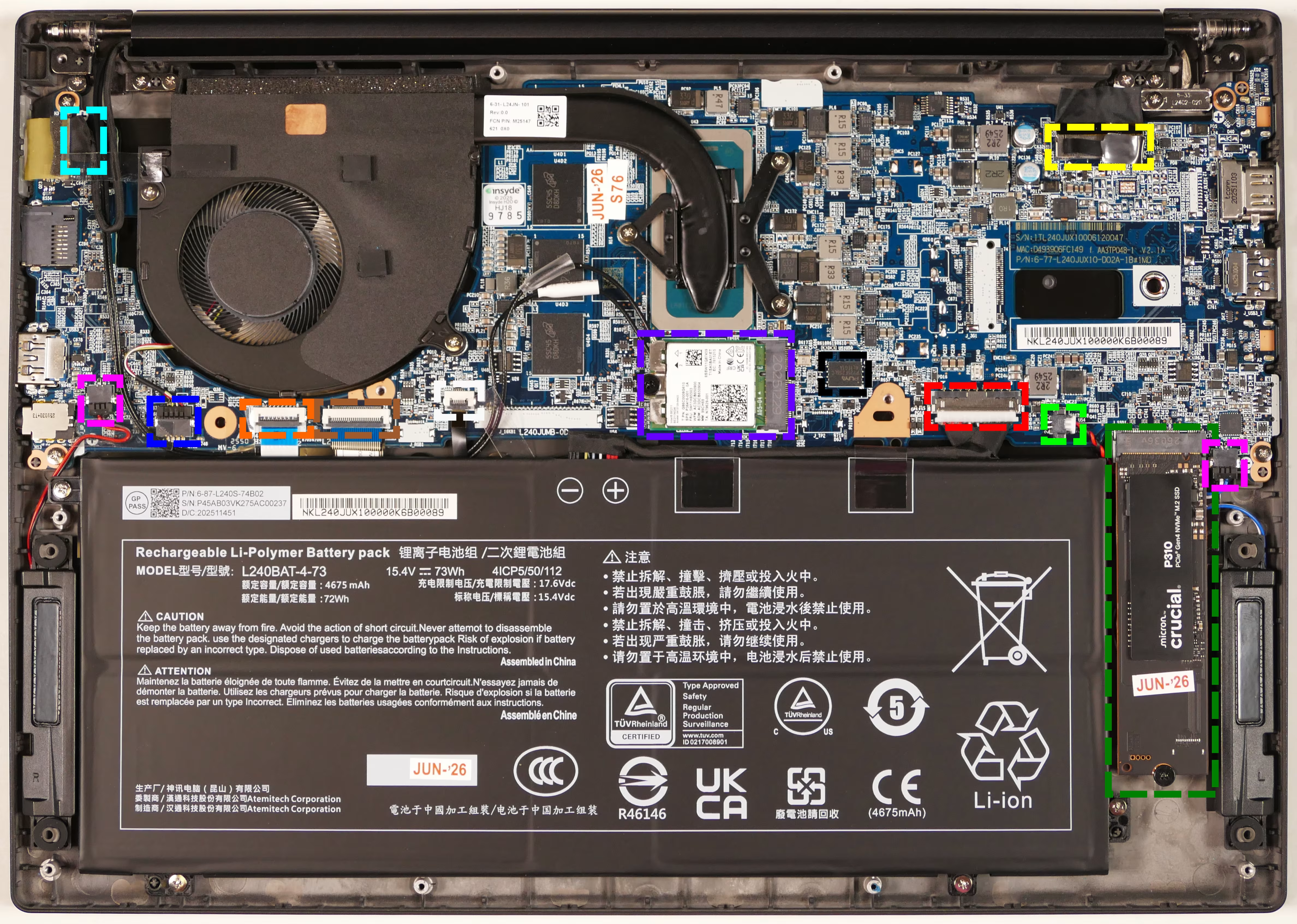
16” model (lemp14-b)
Section titled “16” model (lemp14-b)”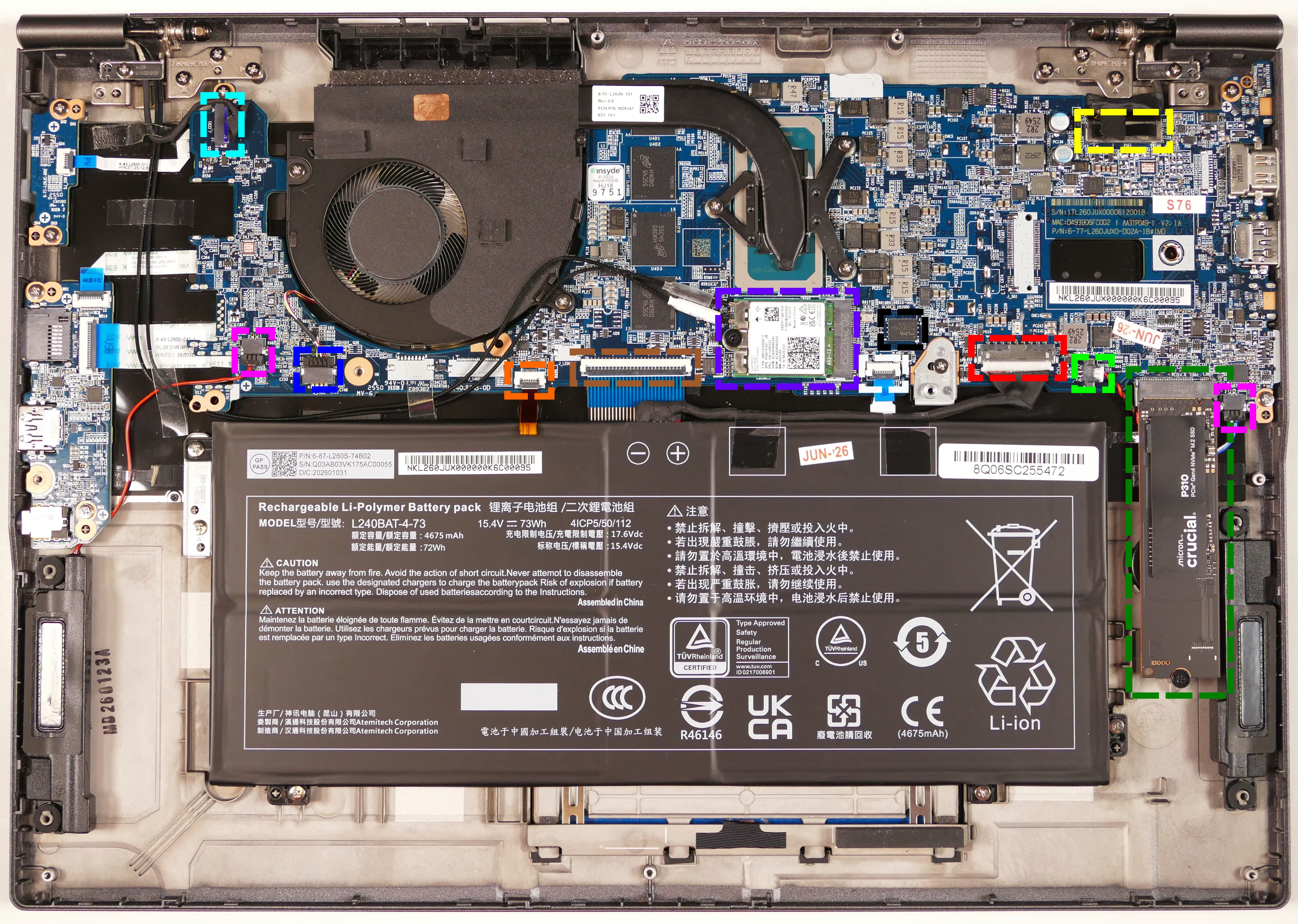
- Webcam/microphone connector is highlighted in cyan
- LCD cable connector is highlighted in yellow
- Speaker connectors are highlighted in pink
- Fan connector is highlighted in blue
- Keyboard backlight connector is highlighted in orange
- Keyboard connector (main) is highlighted in brown
- Touchpad connector is highlighted in white
- Wireless card is highlighted in purple
- BIOS flash chip (U55) is highlighted in black
- Battery connector is highlighted in red
- CMOS battery connector is highlighted in light green
- M.2 SSD is highlighted in dark green
- Slot supports PCIe NVMe Gen 4