

Adder WS (External Overview)
Left side overview:
Section titled “Left side overview:”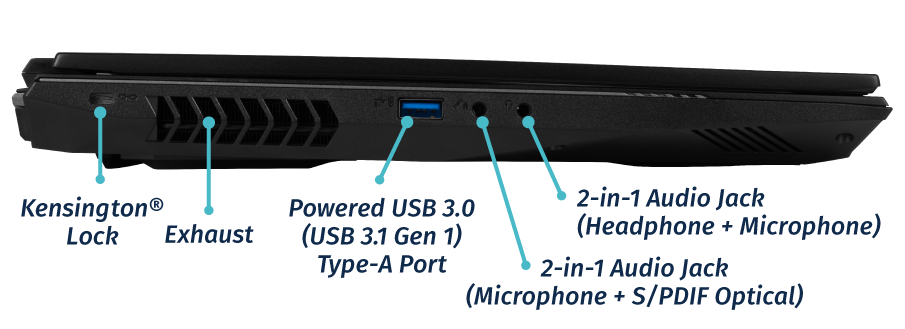
Right side overview:
Section titled “Right side overview:”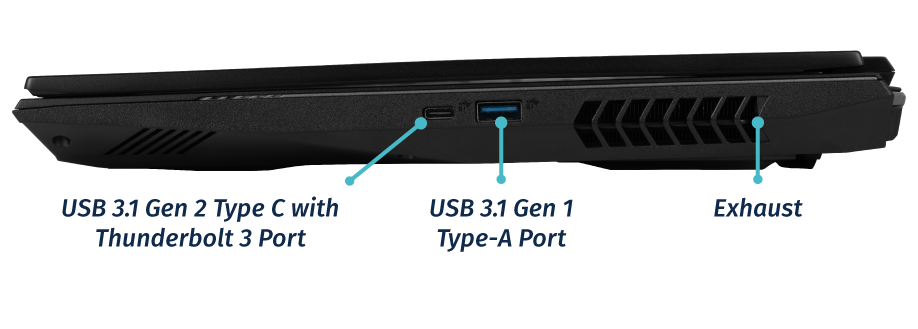
Front side overview:
Section titled “Front side overview:”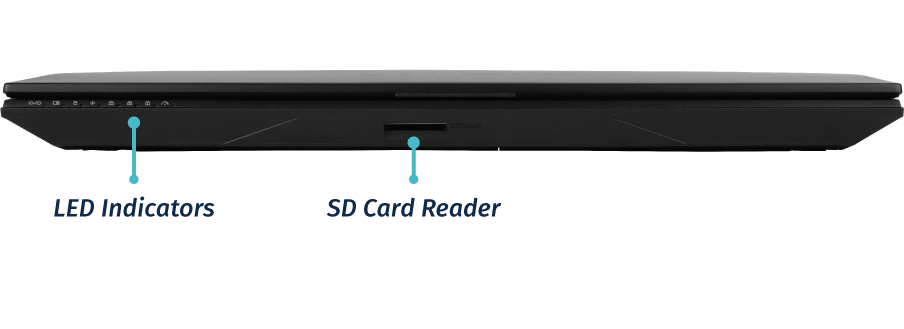
Back side overview:
Section titled “Back side overview:”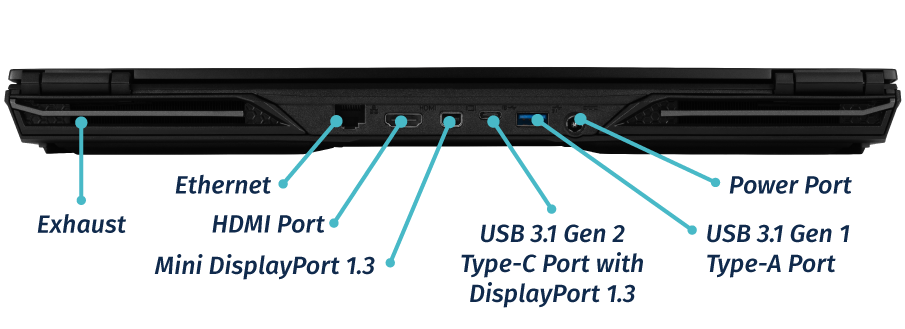
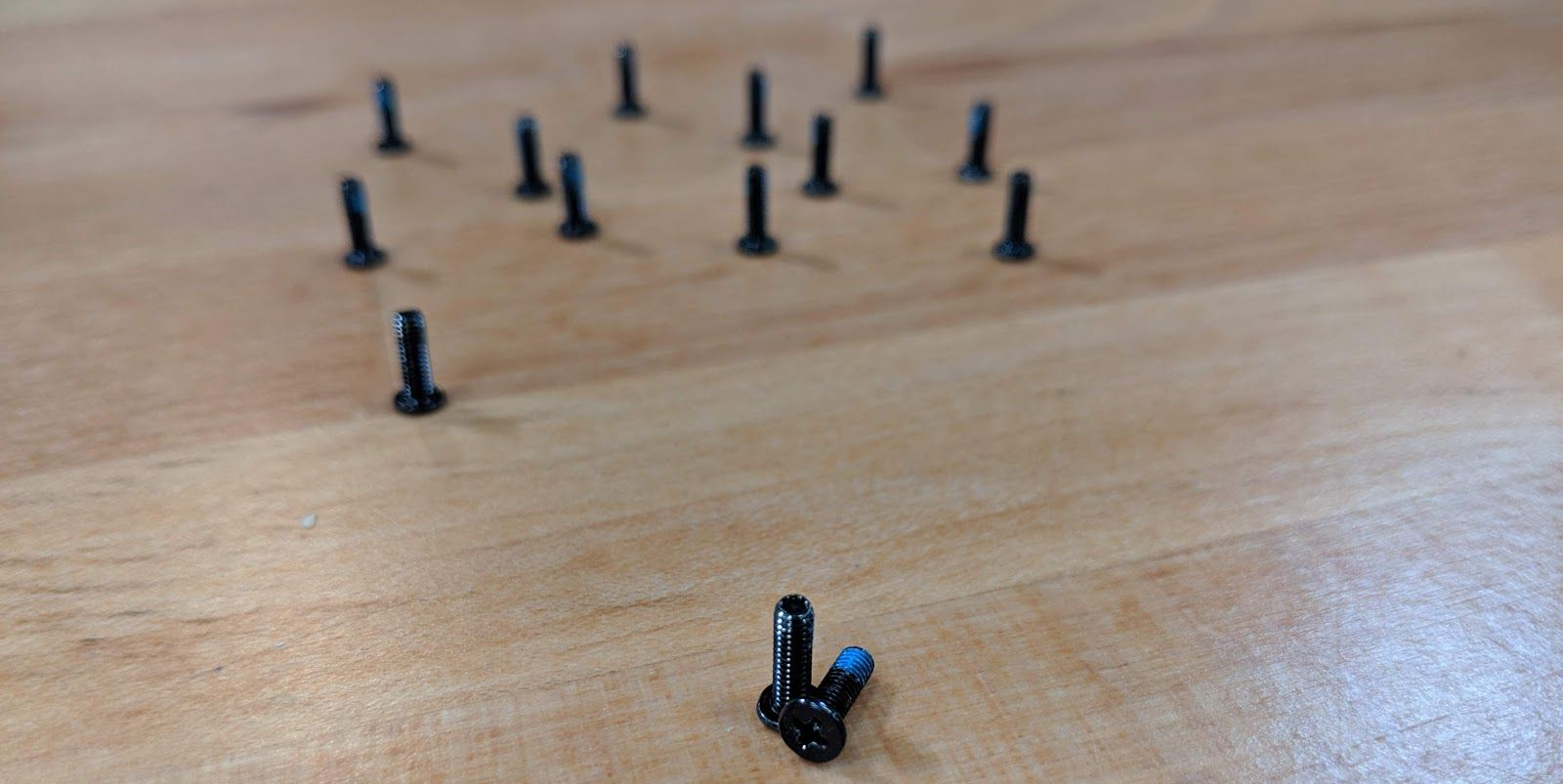
Bottom case screw sizes
Section titled “Bottom case screw sizes”The Adder WS uses a single size of screw for securing the bottom case, battery, and keyboard.
Front LED lights
Section titled “Front LED lights”
| Icon | Color | Description |
|---|---|---|
 |
Orange | DC power plugged in |
| Green | Computer is on | |
| Blinking green | Computer is sleeping | |
 |
Orange | Battery charging |
| Green | Battery fully charged | |
| Blinking orange | Battery critically low | |
 |
Green | Airplane mode is on (WiFi/Bluetooth disabled) |
 |
Green | Storage drive activity |
 |
Green | Num Lock enabled |
 |
Green | Caps Lock enabled |
 |
Green | Scroll Lock enabled |
 |
Off | GPU in MSHYBRD Mode |
| Green | GPU in Discrete Mode |
Keyboard Shortcuts
Section titled “Keyboard Shortcuts”The Adder WS has the following actions available using the Fn and Function keys:
| Key | Shortcut | Action |
|---|---|---|
 |
Fn+F1 | Toggle trackpad |
 |
Fn+F2 | Lock screen and toggle built-in LCD |
 |
Fn+F3 | Mute |
 |
Fn+F5 | Volume down |
 |
Fn+F6 | Volume up |
 |
Fn+F7 | Toggle displays |
 |
Fn+F8 | Screen brightness down |
 |
Fn+F9 | Screen brightness up |
 |
Fn+F10 | Toggle webcam |
 |
Fn+F11 | Toggle airplane mode |
 |
Fn+F12 | Suspend |
| 1 | Fn+1 | Toggle fan between max/automatic |
 |
Fn+* | Toggle keyboard backlight |
| / | Fn+/ | Cycle keyboard color |
| - | Fn+- | Decrease keyboard brightness |
| + | Fn++ | Increase keyboard brightness |
External Displays
Section titled “External Displays”The Adder WS supports Mini DisplayPort, HDMI, and DisplayPort over USB-C connections for external displays.