

Galago Pro (External Overview)
Left side overview:
Section titled “Left side overview:”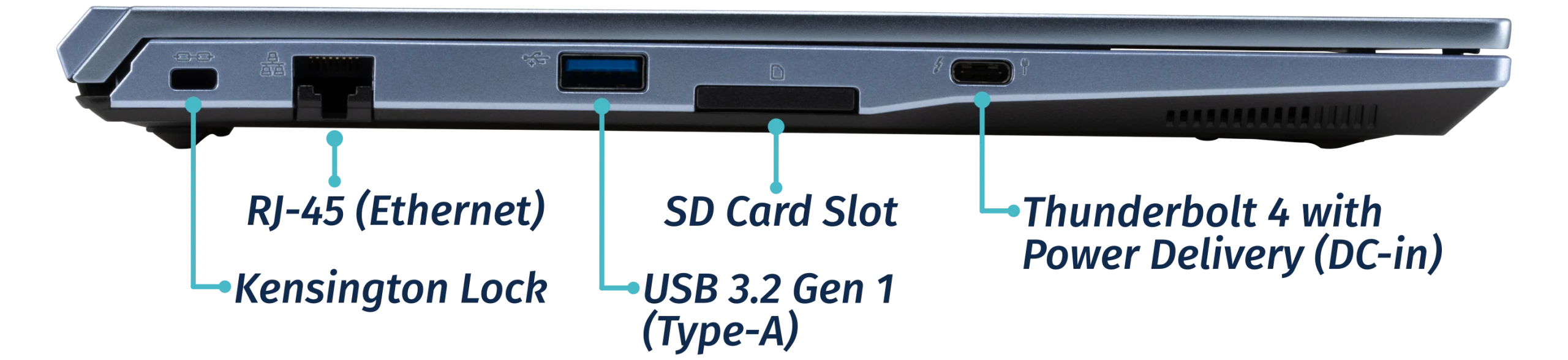
Right side overview:
Section titled “Right side overview:”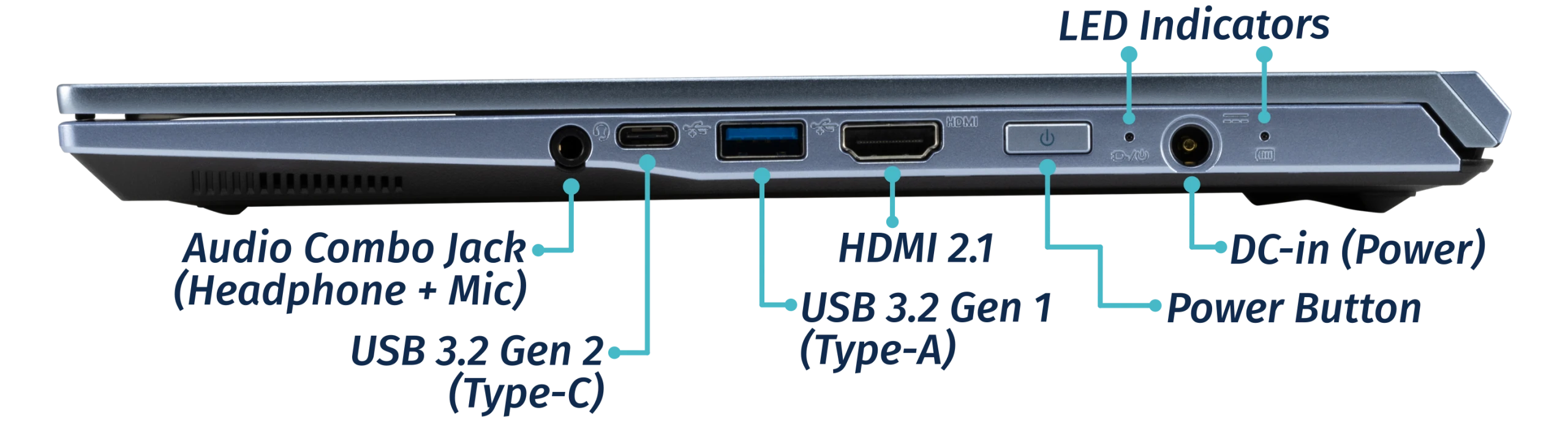
Front side overview:
Section titled “Front side overview:”
Back side overview:
Section titled “Back side overview:”
Keyboard & touchpad overview:
Section titled “Keyboard & touchpad overview:”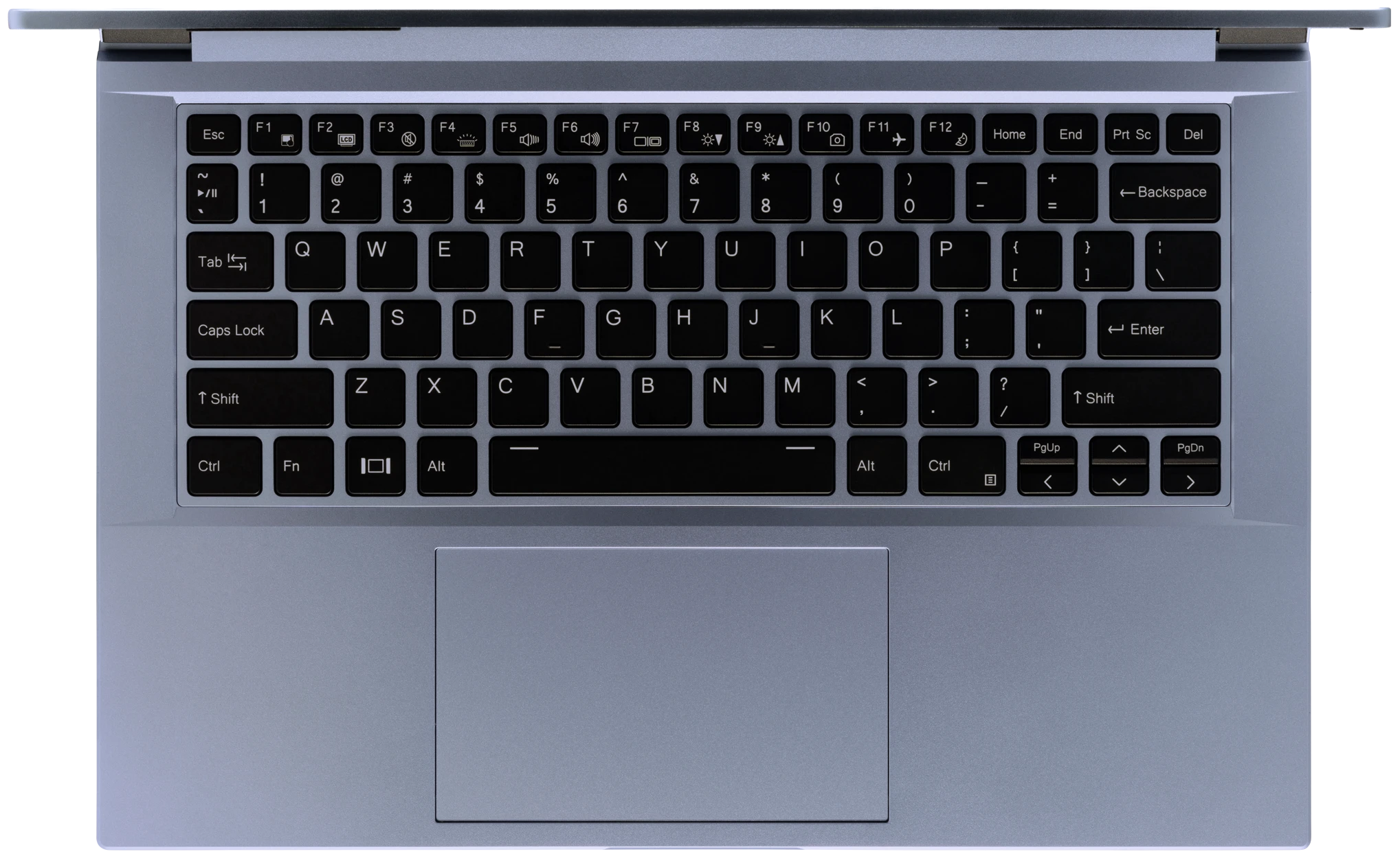
Materials:
Section titled “Materials:”| Part | Material | Part Number |
|---|---|---|
| LCD back cover (lid) | Aluminum | 6-39-NV411-023 |
| LCD front cover (bezel) | Plastic | 6-40-NV401-011 |
| Top case (palm rests/port covers) | Plastic | 6-78-NV41RZ02-010 |
| Bottom panel | Plastic | 6-39-NV4K3-011 |
LED indicators
Section titled “LED indicators”The Galago Pro has the following LED indicators:
| Icon | Color | Description |
|---|---|---|
 |
Orange | Powered off, DC power plugged in |
| Green | Powered on | |
| Blinking green | Sleeping (suspended) | |
 |
Orange | Battery charging |
| Green | Battery fully charged | |
| Blinking orange | Battery critically low |
Keyboard Shortcuts
Section titled “Keyboard Shortcuts”The Galago Pro has the following actions available using the Fn and Function keys:
| Key | Shortcut | Action |
|---|---|---|
 |
Fn+F1 | Toggle trackpad |
 |
Fn+F2 | Toggle built-in LCD |
 |
Fn+F3 | Mute |
 |
Fn+F4 | Cycle keyboard backlight brightness |
 |
Fn+F5 | Volume down |
 |
Fn+F6 | Volume up |
 |
Fn+F7 | Toggle displays |
 |
Fn+F8 | Screen brightness down |
 |
Fn+F9 | Screen brightness up |
 |
Fn+F10 | Toggle webcam |
 |
Fn+F11 | Toggle airplane mode |
 |
Fn+F12 | Suspend |
 |
Fn+` | Play/Pause |
| 1 | Fn+1 | Toggle fan between max/automatic |