

Pangolin Pro (Internal Overview)
Bottom components and connectors:
Section titled “Bottom components and connectors:”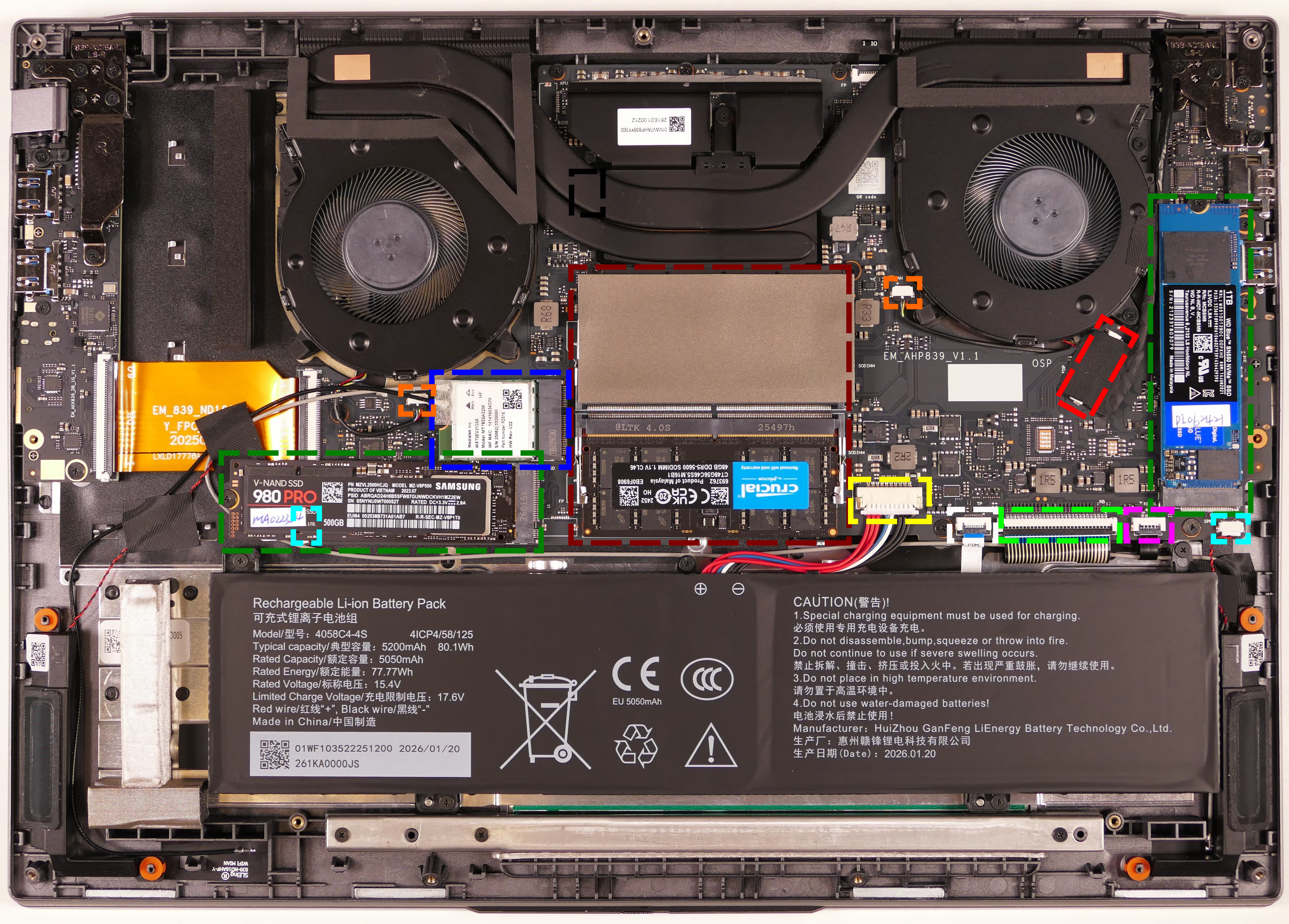
- RAM slots are highlighted in maroon
- Top RAM stick is covered with protective plastic
- M.2 SSDs are highlighted in dark green
- Wireless card is highlighted in dark blue
- LCD panel connector is highlighted in red
- Covered by black protective tape
- Main battery connector is highlighted in yellow
- Fan connectors are highlighted in orange
- Speaker connectors are highlighted in cyan
- Right speaker connector (on the left side) is under the SSD in slot 1
- Touchpad connector is highlighted in white
- Keyboard connector is highlighted in light green
- Keyboard backlight connector is highlighted in pink
- BIOS flash chip is highlighted in black
- Covered by the CPU heatsink pipe