

Support
Manage Repositories (Ubuntu)
Accessing Software & Updates
Section titled “Accessing Software & Updates”Ubuntu’s tool for adding, removing and editing repositories is called Software & Updates.
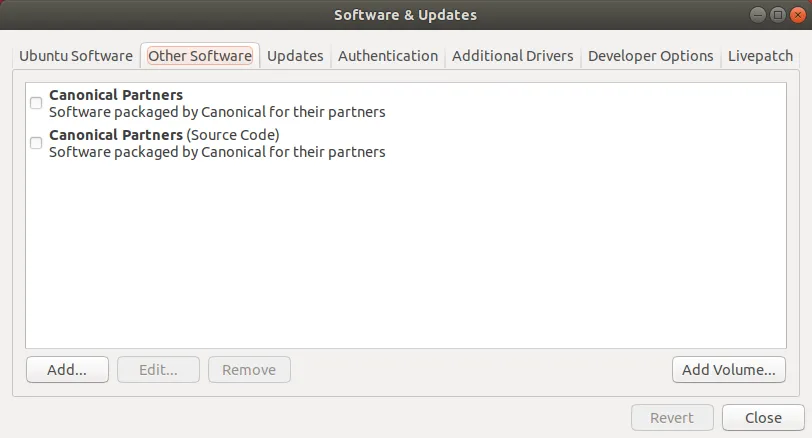
Once Software & Updates is opened, click on Other Software tab. Under this tab, add repositories with the Add… button. Select a repository from the list and then click on the Edit… button (next to the Add… button) to edit the selected repository.