

Manually Disable the ProtonVPN Permanent Kill Switch
ProtonVPN’s kill switch will disable internet connectivity when you are not connected to a VPN server. This ensures the true IP address if your computer is never leaked to the internet. If the kill switch is set to Permanent, then your computer will be unable to connect to the internet, even if ProtonVPN isn’t running (i.e., at system start up), the GUI application becomes inaccessible, or if ProtonVPN was improperly removed from the system.
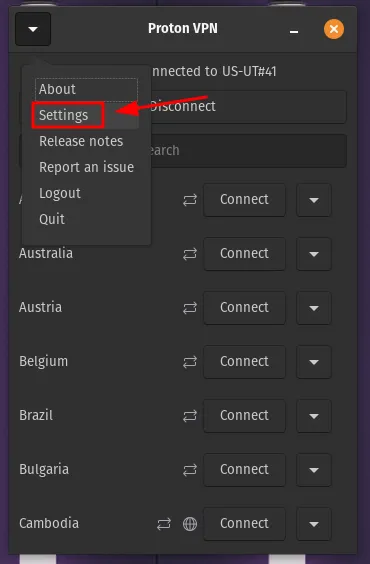
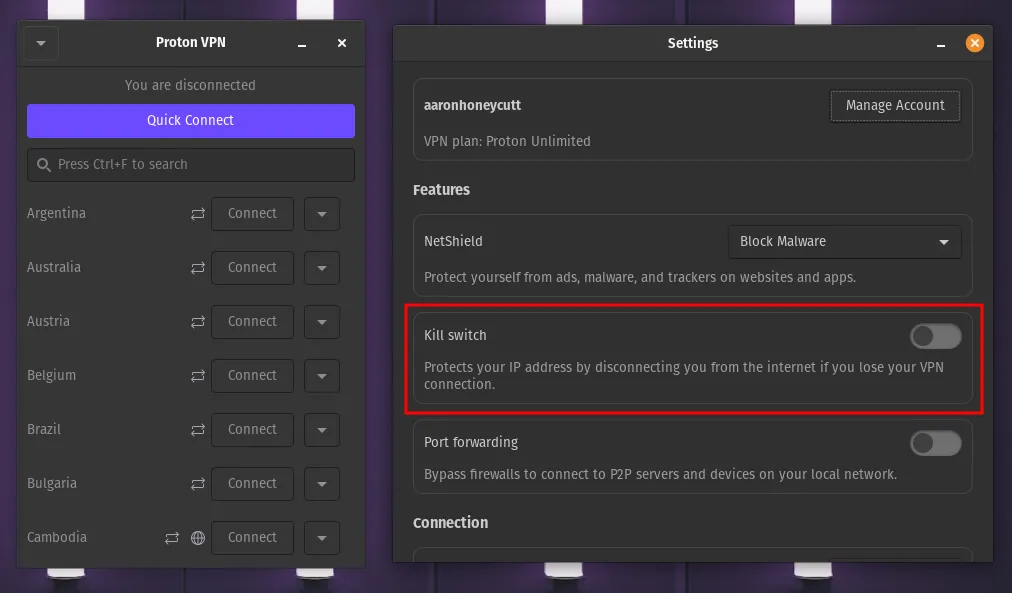
NOTE: ProtonVPN installs to the entire system; not just for a single user. If ProtonVPN is installed under another user account and has the kill switch enabled, other users will not be able to connect to the internet until ProtonVPN connects to a server.
Permanent Kill Switch Persists After System Refresh
Section titled “Permanent Kill Switch Persists After System Refresh”Pop!_OS’s Refresh Install feature is a convenient tool for recovering a broken installation while preserving some of the user’s data.
Any applications installed outside of the /home directory will be removed, however; system configurations made by applications may persist. You may be unable to connect to the internet if you are using ProtonVPN and enabled the Permanent Kill Switch option.
Manually Disabling the ProtonVPN Kill Switch
Section titled “Manually Disabling the ProtonVPN Kill Switch”First, confirm the kill switch is still enabled using this command:
nmcli d status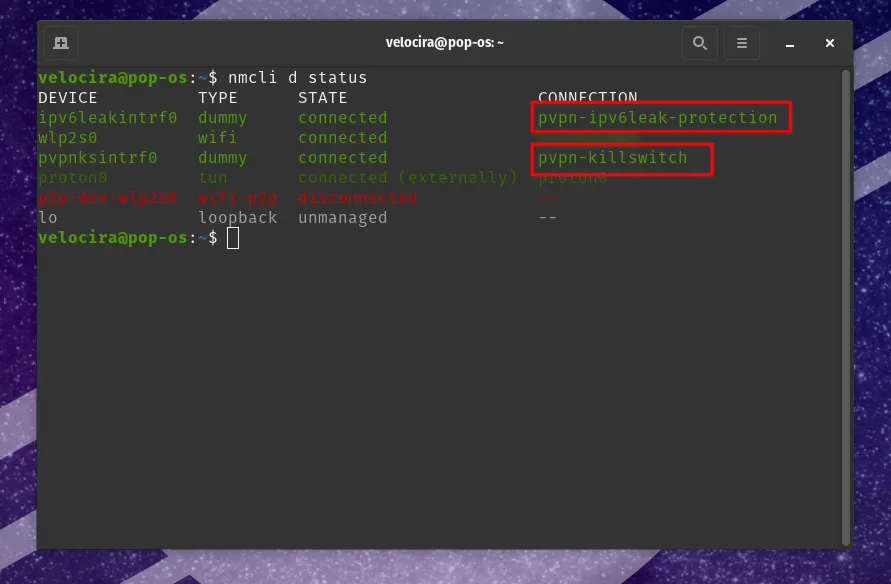
The CONNECTION column may list either pvpn-killswitch, pvpn-ipv6leak-protection, or both. These can be removed with the following commands:
nmcli c delete pvpn-ipv6leak-protectionnmcli c delete pvpn-killswitch